4.6 · Android & iOS

809bet App: Bet on Football and Other Sports from Anywhere, Right in the Palm of Your Hand

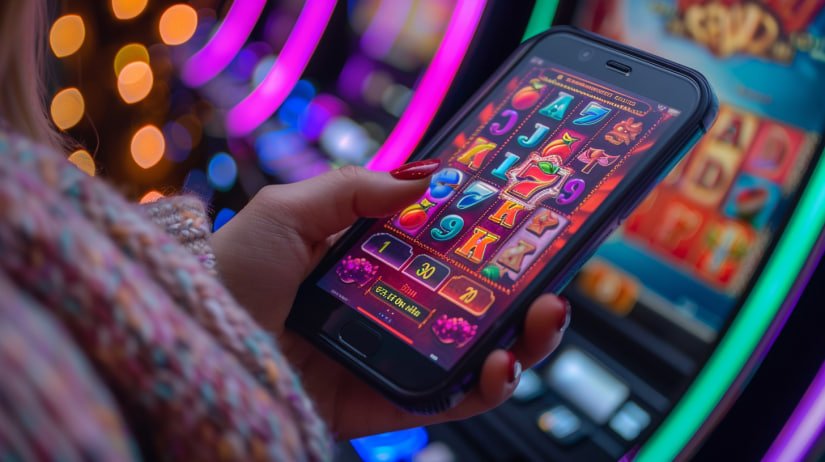
The 809bet app brings live betting, Pix deposits, fast withdrawals, and real-time notifications — all optimized for your phone screen, with no lag and no hassle.

Android 6.0+ iOS 13+
809bet
4.6★
Average store rating
< 30MB
App size
24/7
In-play live betting in the app
Pix
Withdrawal in up to 5 min on mobile

Android and iPhone — one app, complete experience

No matter which phone you use: the 809bet app was built to run smoothly on both of Brazil's most popular operating systems.

Android
Direct APK or via partner store
Minimum versionAndroid 6.0 (Marshmallow)
Size≈ 25 MB
UpdateAutomatic update available
APK outside the Play StoreAllowed (official APK)
Push notificationsYes
Native PixYes
iPhone / iPad
App Store or PWA via Safari
Minimum versioniOS 13 or higher
Size≈ 28 MB
iPad compatibleYes
Face ID / Touch IDSupported
Push notificationsYes (iOS 16.4+)
Native PixYes
809bet
Safe installation — how to verify
  • Download the APK only from the official 809bet link — never from third-party sites.
  • Before installing, check the file size: legitimate APKs are under 35 MB.
  • On the permissions screen, the app only requests: notifications, camera (for Pix QR code scanning), and storage.
  • If your phone's antivirus blocks it, add an exception — this is common for APKs outside the Play Store and does not indicate a problem.

How to download and install the 809bet app

1
Access the 809bet website on your phone

In your Android or iPhone browser, open the site. You will see the app download button at the top of the page or in the "App" section. For iOS, you can also access it via the App Store — check the official link on the page.

2
On Android: enable installation from external sources

Go to Settings → Security → "Install apps from unknown sources" and enable it for the browser you're using. This step is only required once and only applies to Android.

3
Download the APK (Android) or install via the App Store (iOS)

Click "Download for Android" or "Download for iPhone" on the page. On Android, the APK file will be saved to your Downloads folder. On iPhone, you will be redirected to the App Store — tap "Get" to install.

4
Install and open the app

On Android, tap the APK file in the notification bar and confirm the installation. The 809bet icon will appear on your home screen. On iPhone, the process is automatic after confirmation in the App Store.

5
Log in or create a new account

Open the app, enter your email and password to log in. If you don't have an account yet, registration takes less than two minutes directly through the app. After your first login, Face ID or fingerprint can be enabled for faster access.

Everything from the platform, optimized for your mobile

No feature was cut to fit the mobile version — 809bet on mobile is just as complete as on desktop, only designed to use with your thumb.

Live in-play betting

Odds updated in real time with in-game animation. Bet during any football, basketball, or tennis match without lag on 4G or Wi-Fi.

Integrated deposit and Pix

Generate a Pix QR code directly in the app and pay through your bank without copying and pasting. Balance available in seconds so you can bet right away.

Real-time notifications

Receive alerts when a bet is settled, when cash out is available, or when odds change significantly.

Face ID and biometrics

Log in with a tap or a glance. No need to type your password every time — security and convenience combined in the app login.

In-app statistics

Head-to-head data, recent form and live statistics accessible directly on the event screen, without opening another app to look things up.

Dark mode

Interface adapted for night use, reducing eye strain during long sessions. Activates automatically or manually from the settings panel.

Quick multi bet

Build multi-bet slips with a single tap on each selection. The bet slip appears in a fixed panel at the bottom, always accessible as you browse.

Full financial dashboard

Check your available balance, deposit and withdrawal history, statements, and responsible gaming limits directly in the app, at any time.

In-app chat support

Access support chat in English directly through the app. No need to open a browser — support is available to resolve questions in real time.

The app changes the way you follow and bet on games

Most Brazilian bettors already use their phone for everything — following the game, checking the score, chatting with friends on WhatsApp and catching up on their favorite team's news. Having the 809bet app installed on the same phone brings all of that together into a single seamless experience.

You're watching Flamengo play from your apartment, the team is pressing in the second half but no goal yet, and you want to bet on over 1.5 goals with the match already underway. Without the app, you open the browser, wait for it to load, navigate to the match, and hope the odds are still available. With the app, you're three taps away from placing your bet.

This speed makes a real difference especially in in-play betting, where odds shift with every play. A goal conceded quickly transforms the comeback odds for the favorite — and whoever has the app open and ready reacts before someone navigating through a browser.

Pix and withdrawal: the perfect combo on mobile

Mobile phones are already the device most Brazilians use for Pix day to day — through the banking app, QR code, or copy-and-paste. 809bet has natively integrated Pix into the app, meaning you can make a deposit by generating the QR code directly on screen and opening your banking app in split screen, without having to switch between multiple apps.

The withdrawal process follows the same logic: access the withdrawals panel, confirm your Pix key, and the request is submitted immediately. For members with full identity verification, processing takes up to 5 minutes — meaning you can bet on a Sunday afternoon game and have the funds in your bank before the evening.

Notifications that make sense

One of the most common complaints about betting apps is notification overload — unnecessary promotions that end up making users turn everything off. At 809bet, you control which notifications you want to receive: you can enable only bet settlement alerts, only cash out available notices, or the full set including promotions and special offers.

This level of control makes notifications useful rather than annoying — when the app vibrates, you know it's something relevant to your experience, not just another push to bring you back to the platform.

What if you prefer not to install anything?

Not everyone wants another icon on their home screen. For those who prefer not to install the app, the 809bet website works great through a mobile browser — Chrome on Android and Safari on iPhone deliver a quality responsive experience with the same features as the app. The main difference is push notifications and biometric login, which are exclusive to the installed app.


809bet
App vs. browser: key differences
Push notifications
App ✓ Web —
Biometric login
App ✓ Web —
In-play betting
App ✓ Web ✓
Native Pix
App ✓ Web ✓
Dark mode
App ✓ Web —

809bet App: what's in it, what's not, and what's coming

Feature Android IPhone Mobile Browser
Full sports betting ✓ ✓ ✓
Live in-play ✓ ✓ ✓
Pix deposit ✓ ✓ ✓
Pix withdrawal ✓ ✓ ✓
Push notifications ✓ iOS 16.4+ —
Biometric login ✓ ✓ —
Dark mode ✓ ✓ —
Cash out in the app ✓ ✓ ✓
Multi bet ✓ ✓ ✓
Installation required APK (~25 MB) App Store (~28 MB) None
809bet

Control tools available directly through the app

Having the 809bet app installed on your phone makes betting more accessible — which is an advantage when you're enjoying the game responsibly, and a risk when easy access starts working against you.

That is why the app includes a full responsible gaming panel, accessible at any time without needing to contact support. In it, you set daily, weekly, or monthly deposit limits. If you set a limit of R$ 100 per week and want to change it to a higher amount, the system applies a 24-hour waiting period — protecting you from impulsive decisions.

A voluntary pause option is also available: you can temporarily block yourself from the platform for 24 hours, 7 days, 30 days, or for an indefinite period. This feature is activated in seconds through the app and takes effect immediately across all devices — trying to log in via browser won't work while the pause is active.

For those who want to track their own betting behavior, the app has a detailed history with spending charts by period, betting frequency, and a comparison between deposits and withdrawals. Having this kind of clear overview helps identify patterns before they become problems.

If at any point you feel that betting is getting out of control, access the Responsible Gaming in the app menu — there you'll find guidance, self-exclusion tools, and information about organizations that offer free support in Brazil.

Frequently asked questions about the app

Yes, downloading and installing the app is completely free — for both Android and iPhone. There is no subscription fee or additional charge to use the app. You only deposit the amount you want to use for betting; the app itself has no cost.

Many Android antivirus apps block any APK installed outside the Google Play Store as a standard preventive measure — this does not mean the file is malicious. If you downloaded the APK directly from the official 809bet website, the file is safe. Add an exception for the file or the Downloads folder in your antivirus app and proceed with the installation. If you are unsure about the file's origin, contact support before installing.

The app requires an internet connection for most features — live odds, bet confirmation, deposits, and withdrawals all require connectivity. However, you can view already-loaded bet history and balance information in cache mode for a short period without internet. For a full experience, 3G, 4G, 5G, or active Wi-Fi is required.

Yes, it is the same account. Your balance, bet history, registration details, and responsible gaming limits are synced across the mobile app, the mobile browser, and desktop access. You can make a deposit through the app and bet from your computer using the same balance — all in real time.

On iPhone, updates appear automatically in the App Store — you can configure them to install without manual confirmation. On Android with APK, the app itself notifies you when a new version is available upon opening. You are redirected to download the updated APK with a single tap. We recommend always keeping the latest version to ensure security and the latest performance improvements.

Yes, you can install the app on multiple devices using the same login. If you sign in on a new device while logged in on another, the previous session may be ended for security purposes — but this depends on your account security settings. One account cannot be used by more than one person simultaneously, in accordance with the platform's Terms and Conditions.
📱

Today's game starts soon

Install the 809bet app, create your account, and get the best Brazilian football odds right in your hand — with Pix deposits and withdrawals in minutes.

Play responsibly. Adults 18 and over only. Betting may result in loss of the amount wagered.

Português (Brasil)